
Many users find the ‘Let’s finish setting up your device’ screen irritating. The worst thing about this is that it shows the same screen when you restart your PC if you don’t complete the setup process. So, if you find this notification annoying, here’s how you can get rid of it.
1. Disable Windows 11 Welcome Experience via Settings
We will use the Windows 11 Settings app to disable the Welcome Experience in Windows 11.
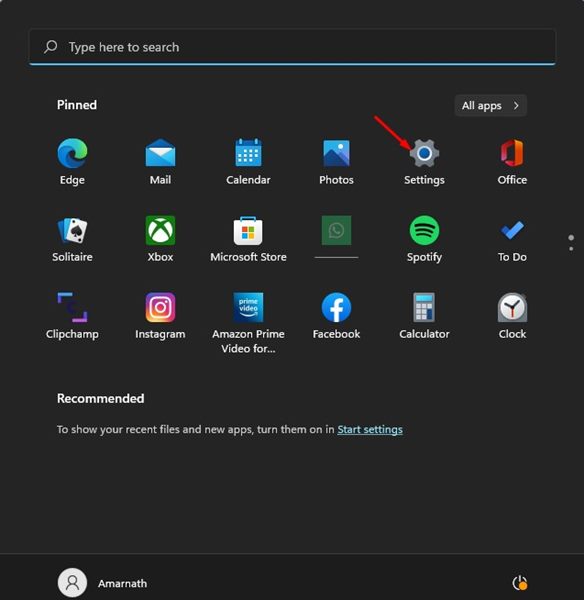
1. Click on the Windows Start button and select Settings.
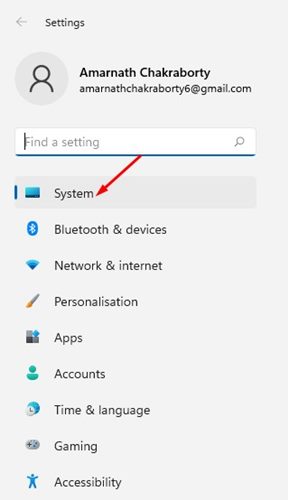
2. Click on the System option.
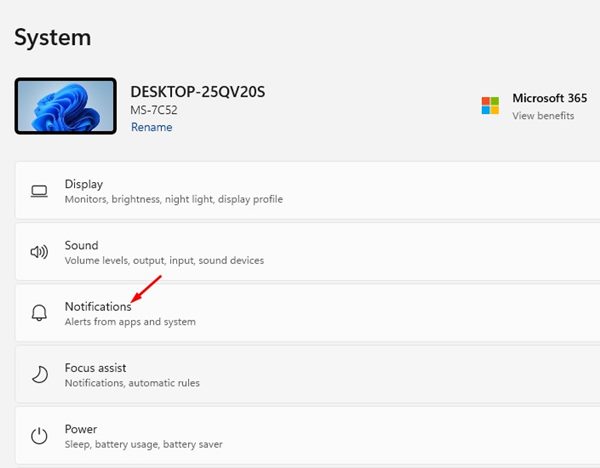
3. Scroll down and click Notifications.
4. Scroll down and click on Additional settings.
5. Uncheck the two options as shown in the screenshot below and close the Settings app.
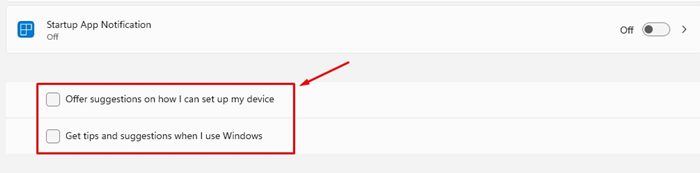
You can turn off the ‘Let’s finish setting up your device’ screen on Windows 11 via Settings.
2. Turn off ‘Let’s finish setting up your device’ via Registry Editor
We will use the Windows 11 Registry Editor to disable the ‘Let’s finish setting up your device’ screen.
1. Open the Registry Editor from the Windows Search.
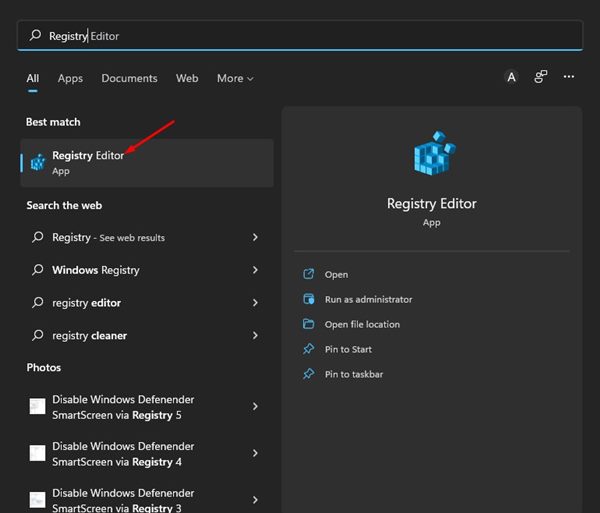
2. Navigate to the following path:
HKEY_CURRENT_USER\SOFTWARE\Microsoft\Windows\CurrentVersion\ContentDeliveryManager
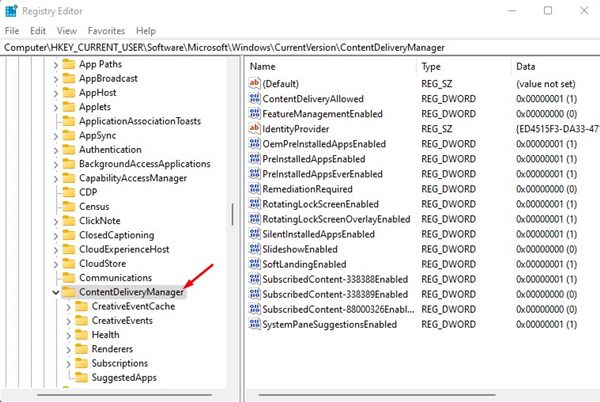
3. Right-click on the ContentDeliveryManager folder and select New > DWORD (32-bit) value.
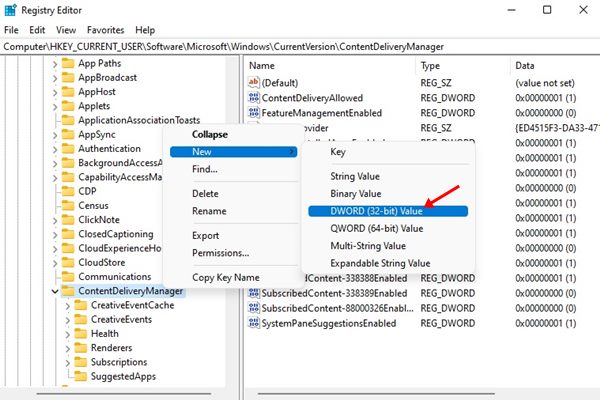
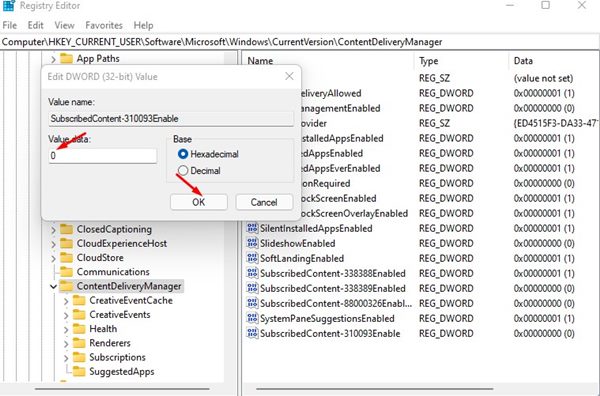
4. Name the newly created key as SubscribedContent-310093Enable
5. Double-click on the SubscribedContent-310093Enable. Enter 0 to disable the Welcome Experience on the value data field and 1 to enable the Welcome Experience. Once done, click on Ok.

3. How to Disable ‘Let’s Finish Setting Up Your Device’ on Windows 10?
The steps will be different if you’re using Windows 10. To disable the Let’s finish setting up your device’ screen on Windows 10, follow these steps.

- Launch the Settings.
- Switch to the System > Notifications & actions.
- Uncheck the ‘Suggest ways i can finish setting up my device to get the most out of Windows’ option.
This will disable the Welcome Experience screen while setting up a new account on your Windows computer. If you wish to enable the Welcome Experience screen, you need to revert the changes you have made.
The post How to Disable ‘Let’s Finish Setting Up Your Device’ Screen in Windows appeared first on TechViral.
from TechViral


0 Comments