
Keeping the Command Prompt disabled is always a great idea to prevent uninvited changes to the system. There are multiple ways to disable Command Prompt on Windows 11; here are some of them.
Disable Command Prompt on Windows 11 – Using Group Policy Editor
You can disable the Command Prompt by editing the Local Group Policy Editor. Here’s what you need to do.
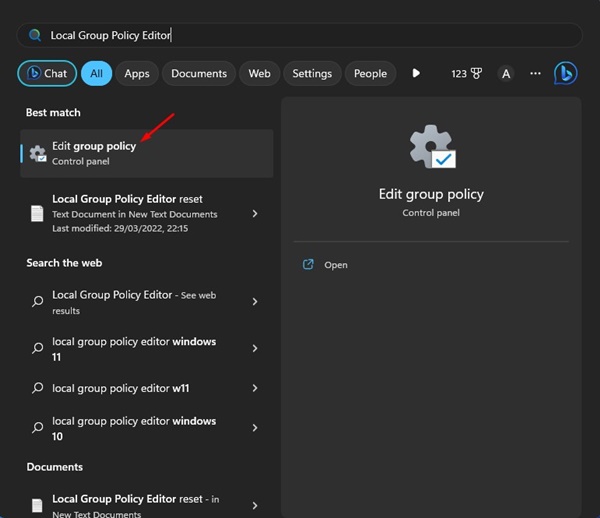
- Open Local Group Policy Editor (Edit Group Policy) from the Windows Search.
2. Navigate to this path:
User Configuration > Administrative Templates > System
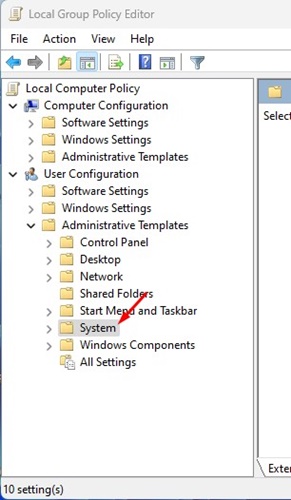
3. Find and double-click on the Prevent access to the Command Prompt policy.
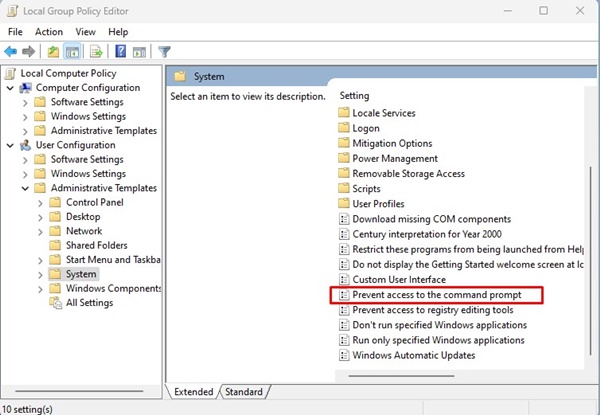
4. Select Enabled
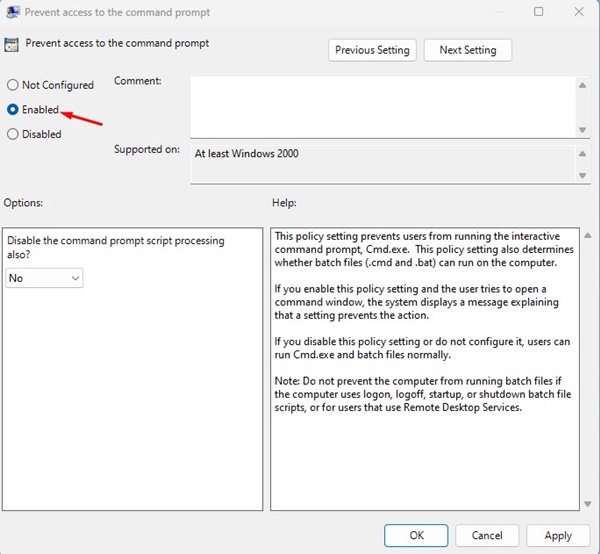
5. In the Options, click on the drop-down and select Yes.
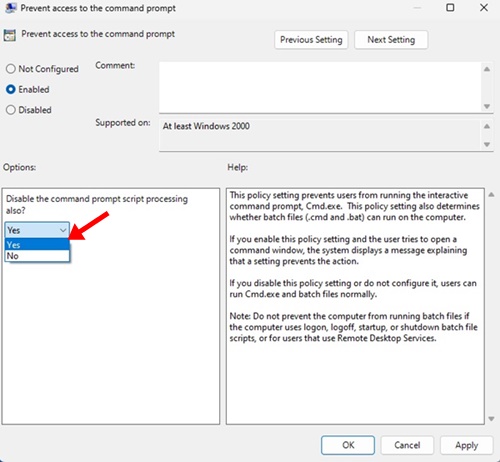
6. Click Apply, then Ok.
7. To revert the changes, select Not Configured on Step no. 5 and click Ok.
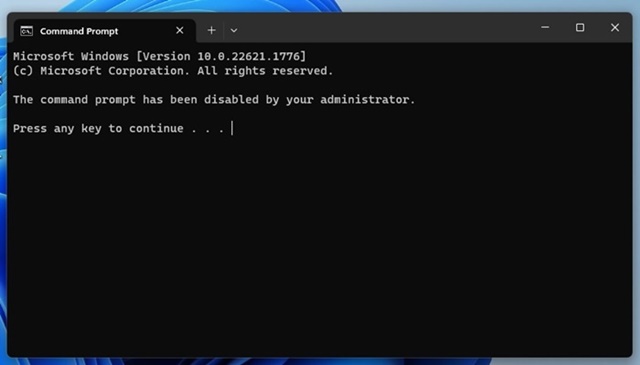
After making the changes, close the Local Group Policy Editor and restart your computer.
Disable CMD on Windows 11 – Windows Registry Editor
You can also edit the Registry files of Windows 11 to turn off the command prompt. This will prevent all users, even apps, from using the Command Prompt.
1. Press the Windows Key + R button on your keyboard to open the Run Dialog box.
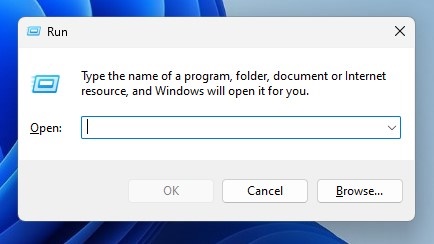
2. Type regedit and press Enter.
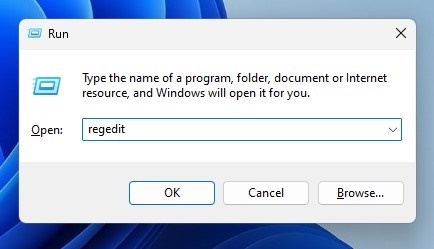
3. This will open the Registry Editor on your Windows 11 computer. Navigate to this path:
HKEY_CURRENT_USER\Software\Policies\Microsoft\Windows
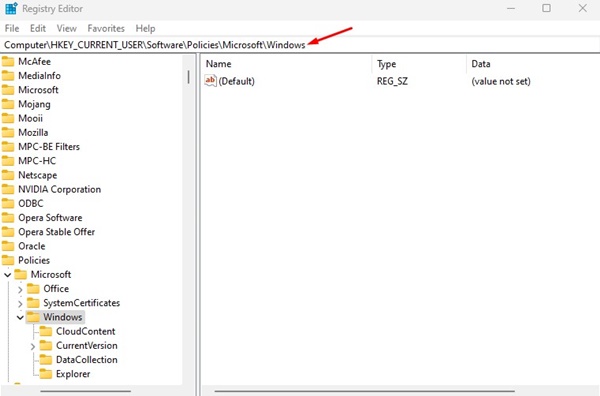
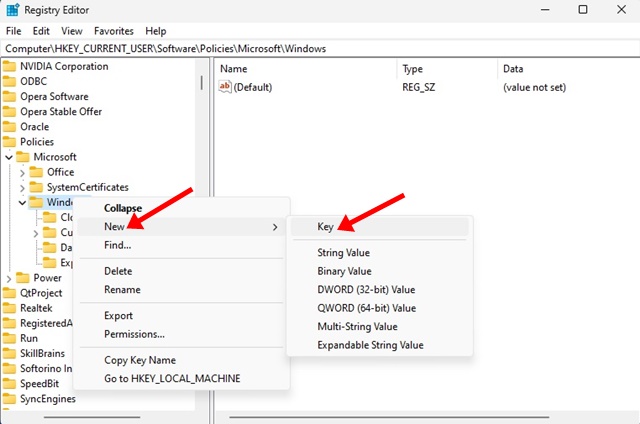
4. Right-click the Windows Key on the left and select New > Key.
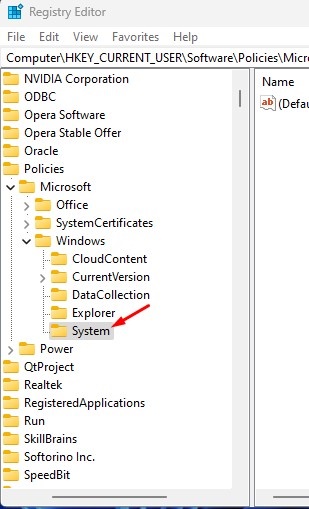
5. Name the new key System.
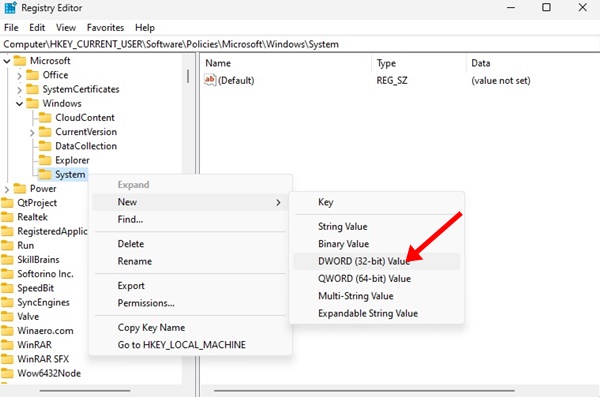
6. Right-click on the System key and select New > DWORD (32-bit) Value.
7. Name the new DWORD value as DisableCMD. In the Value data field, enter 2 and click OK.
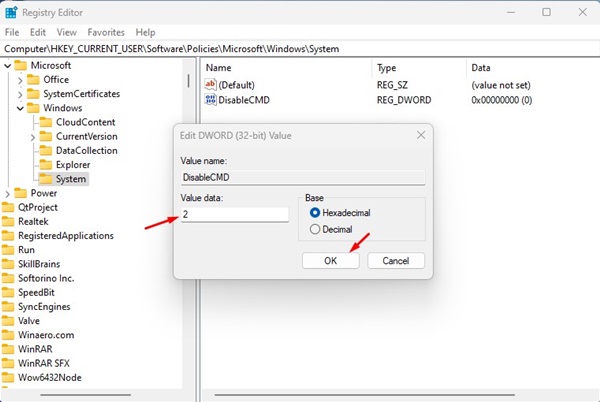
8. Restart your computer. After the restart, launch Command Prompt. You will be greeted with a message indicating that CMD has been disabled.
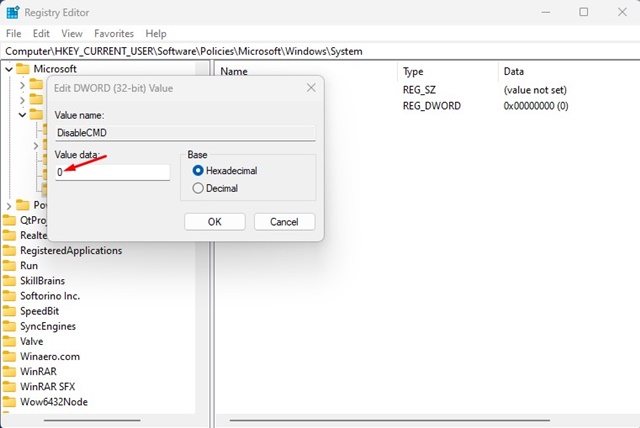
9. If you wish to enable the CMD again, set the DisableCMD value to 0 in Step 7.
Command Prompt is a handy tool for Windows 11, but if other members can access your device, it’s best to disable it. You can revert your changes to enable the Command Prompt on your computer or laptop again.
The post How to Disable Command Prompt on Windows 11 appeared first on TechViral.
from TechViral


0 Comments