
The Shortcuts app may crash for several reasons, including a storage issue, an iOS bug, or a problem with a specific shortcut. Usually, iPhone users face the Shortcuts app crashing while using an ‘If’ condition. Follow these steps to fix the problem.
1. Restart your iPhone
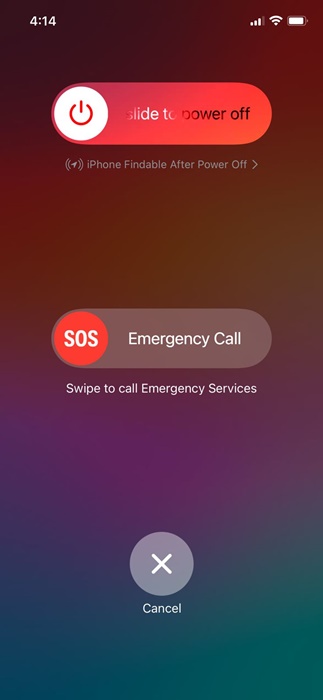
Restarting your iPhone can eliminate temporary glitches and bugs. To restart your iPhone, press and hold the side and volume down buttons together to bring up the Power Menu.
When the Power menu appears, use the slide to power off option. Once powered off, turn on your iPhone again and open the Shortcuts app. Things should work fine now.
2. Relaunch the Shortcuts App
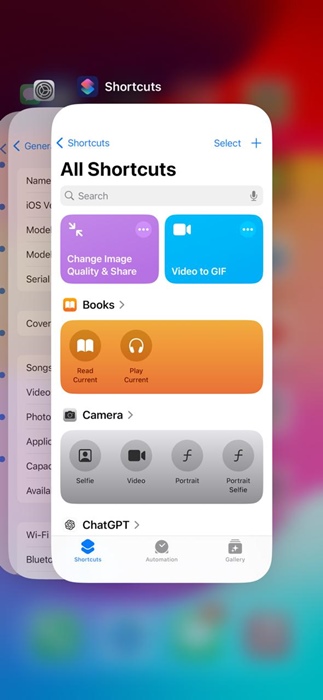
Chances are that your iPhone has certain processes running in the background, which conflict with the Shortcuts app.
Or it could be a bug in the Shortcuts app itself, leading to the crash issue. So, it’s recommended to close all apps running in the background to fix the problem.
Swipe up from the bottom of your home screen to open the App Switcher. When the App Switcher appears, close the Shortcuts app and open it again from the App Library.
3. Turn off the iCloud Sync for the Shortcuts
The iCloud Sync in the Shortcuts app is supposed to keep your collection of shortcuts up to date across all your devices. However, if there’s a problem in the sync process, the Shortcuts app may crash. To resolve this issue, you should disable the iCloud Sync feature.
1. Open the Settings app.

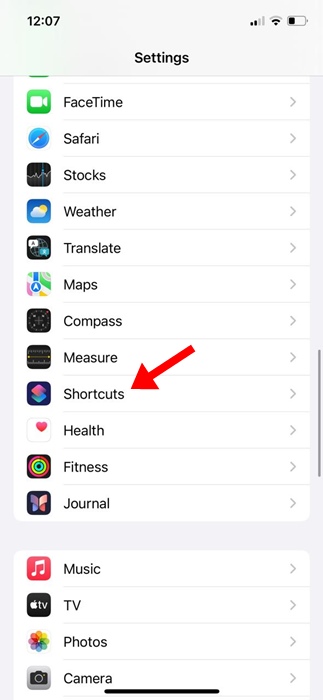
2. Scroll down and tap on Shortcuts.
3. Turn off the toggle for iCloud Sync.
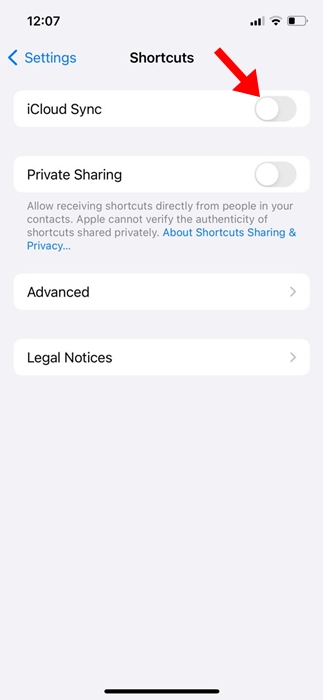
After turning off the feature, use the Shortcuts app to check if it still crashes on your iPhone.
4. Turn off Beta Updates on your iPhone
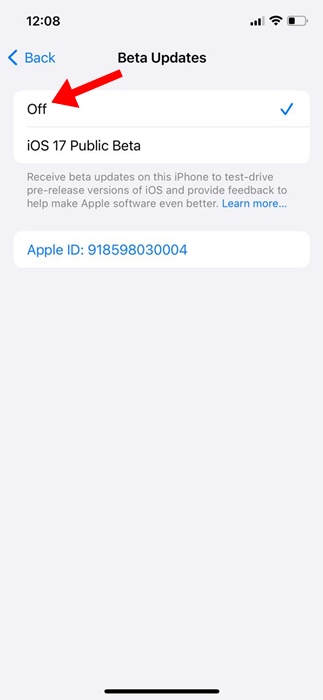
If you’re using the iOS Beta version, chances are that the version has a glitch or bug that’s crashing the Shortcuts app. You should turn off the Beta updates on your iPhone and install a stable iOS release.
1. Launch the Settings app.
2. Tap on General.
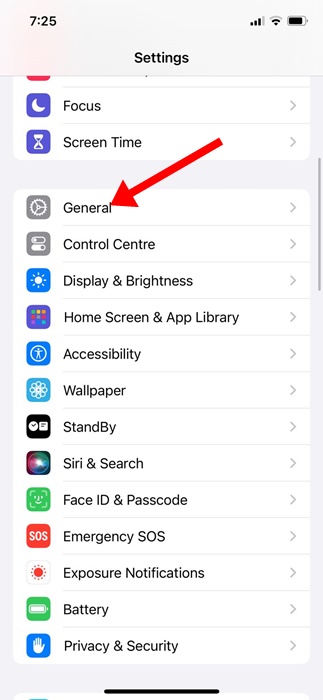
3. Tap on Software Update.
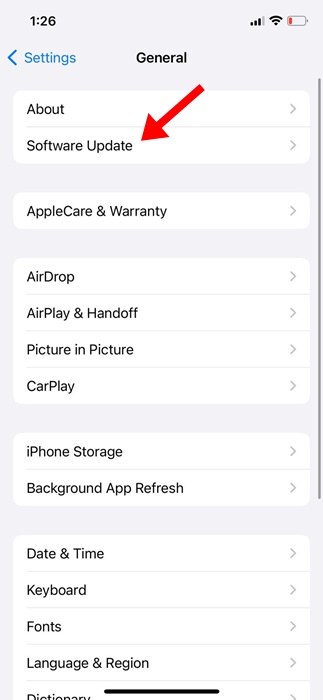
4. Tap on Beta Updates.
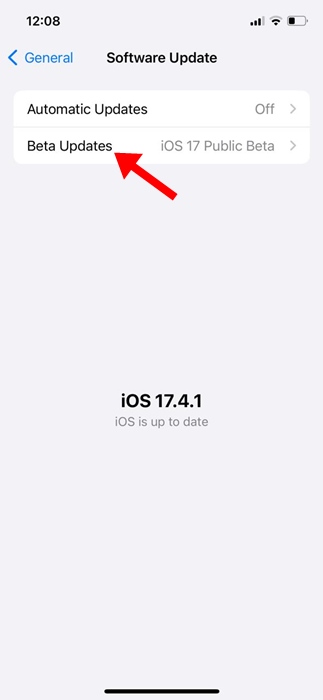
5. On the Beta Updates screen, select Off.
5. Delete All Automation
Several iPhone users on Reddit had reported that deleting all automation and turning off the iCloud sync had fixed the problem. Since you’ve already disabled iCloud Sync in Method 3, the next thing you can do is delete all existing automation
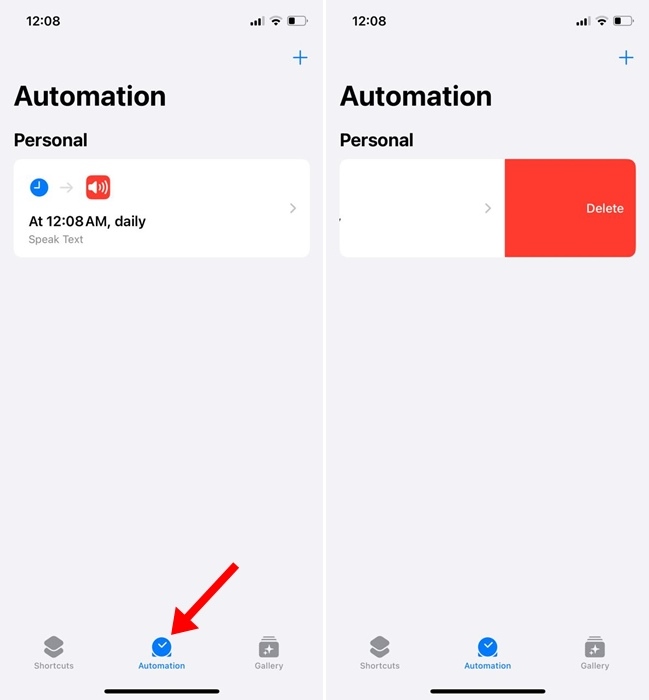
To delete automation in the Shortcut app on your iPhone, tap Automation, swipe left on the automation you want to delete, then select Delete. This will delete the automation in the Shortcuts app.
6. Reinstall the Shortcuts App
Even though Shortcuts is a system app, you still have the option to uninstall and reinstall it on your iPhone.
You can delete the Shortcuts app and reinstall it from the App Store. After the reinstallation, use the Shortcuts app for a while and check if it still crashes on your iPhone.
7. Update Your iPhone
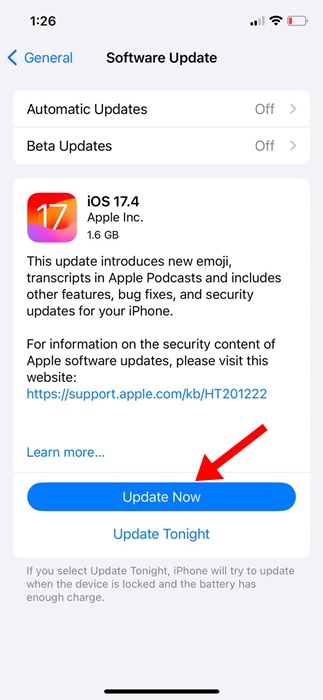
Chances are that the version of iOS installed on your iPhone has a bug or glitch that conflicts with the Shortcuts app and prevents it from functioning properly. You can rule out the possibilities of such bugs & glitches by updating your iPhone to the latest version.
1. Launch the Settings app.
2. Tap on General.
3. Tap on Software Update.
4. Install all pending iOS Updates.
8. Reset Your iPhone
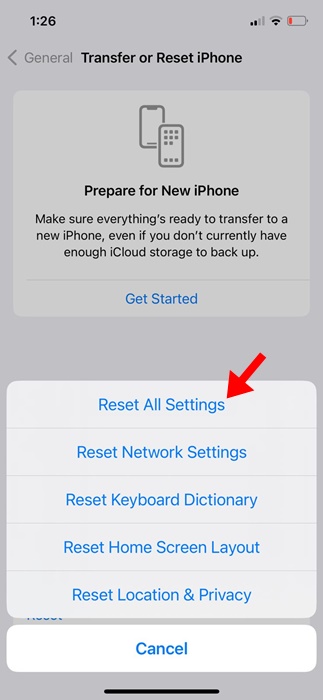
Resetting will delete all saved Settings from your iPhone, such as the saved WiFi networks, Bluetooth Devices, etc. So, make sure to back up the files & data that are important to you and then follow these steps.
1. Launch the Settings app.
2. Tap on General.
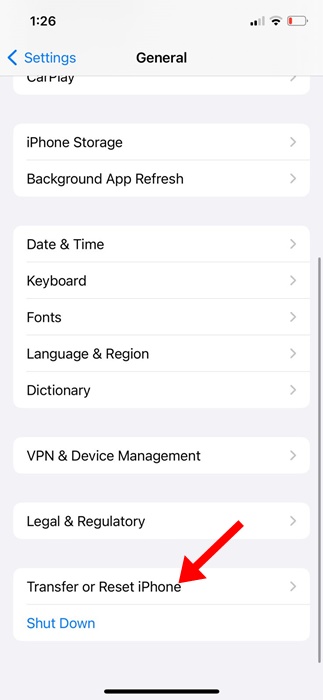
3. Tap on Transfer or Reset iPhone.
4. Tap on Reset.
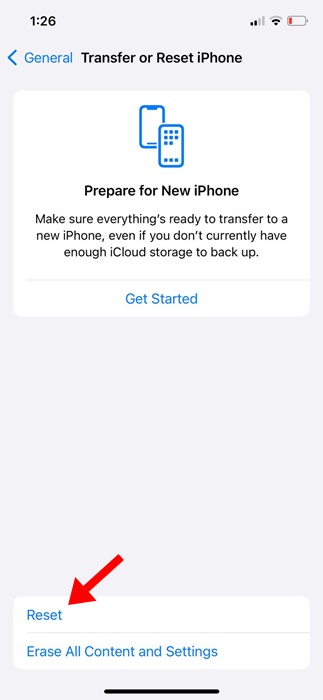
5. Select Reset All Settings.
These are a few simple and effective methods to fix the Shortcuts app crashing on iPhone. If you need more help with this topic, let us know in the comments.
The post How to Fix Shortcuts App Crashing on iPhone appeared first on TechViral.
from TechViral


0 Comments