
Like every other tool, the Windows Security app can sometimes show you an error and fail to run the scan. If you’ve recently been dealing with Windows security issues, you should reset it.
1. Reset Windows Defender via PowerShell
You can utilize the PowerShell app to reset the Windows Security/Defender app.
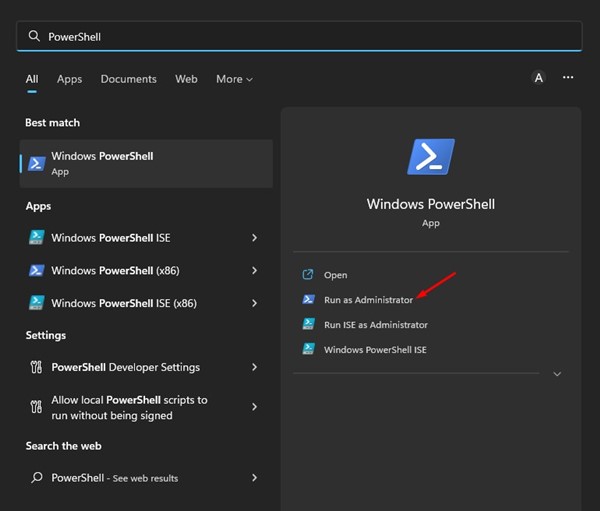
1. Click on the Windows 11 search and type PowerShell. Right-click on PowerShell and select Run as administrator.
2. Type in the following command and press Enter.
Get-AppxPackage Microsoft.SecHealthUI -AllUsers | Reset-AppxPackage
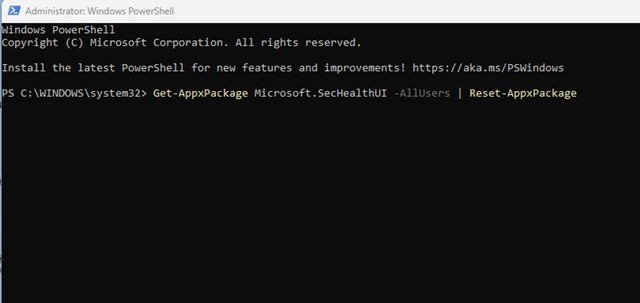
3. Wait for a few seconds until the scan completes.
Once the reinstallation part is complete, restart your Windows 11 computer. After the restart, you can run Windows Security without any issues.
2. Reset Windows Security via Settings
One of the easiest ways to reset the Windows Security app is from the Settings.
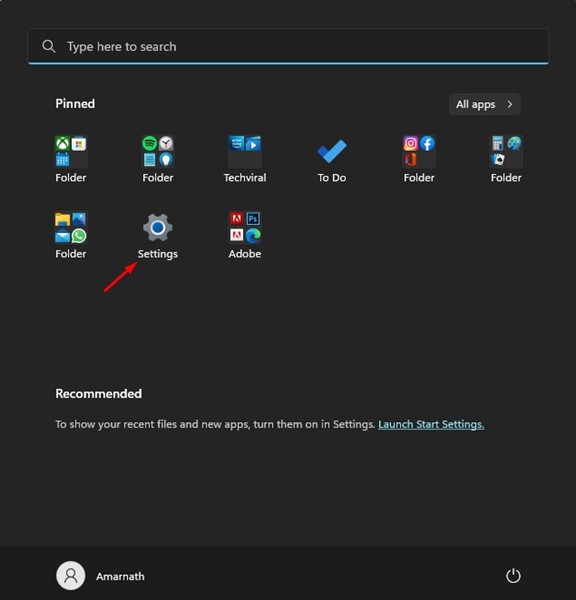
1. Click the Windows 11 Start button and select Settings.
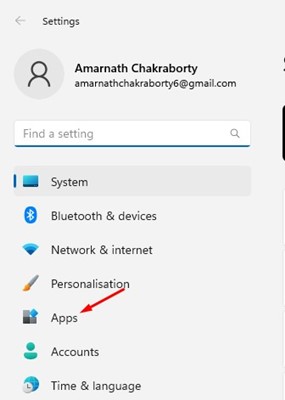
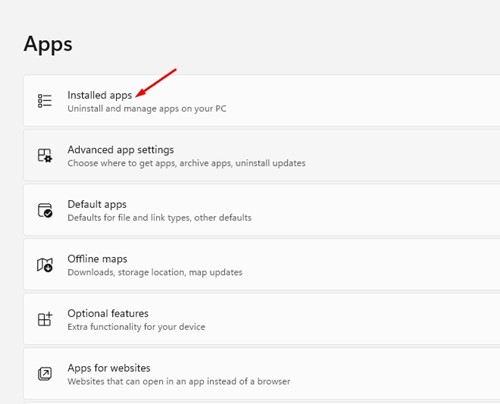
2. Click on the Apps.
3. Click on the Installed Apps.
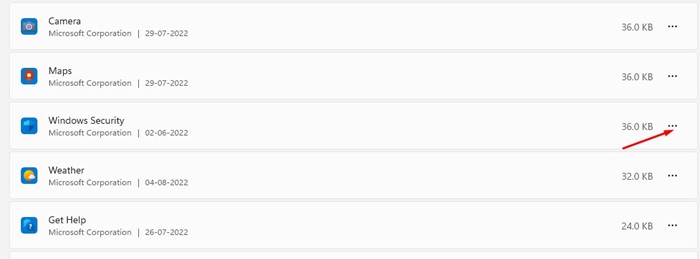
4. Scroll down and find Windows Security. Click the three dots next to Windows Security.
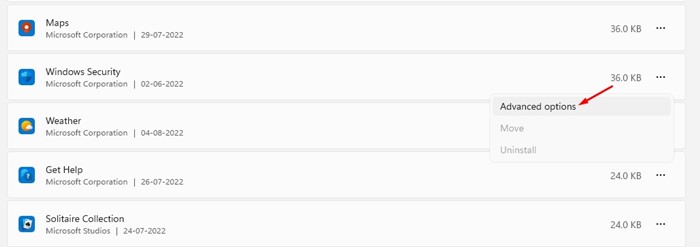
5. Click Advanced options.
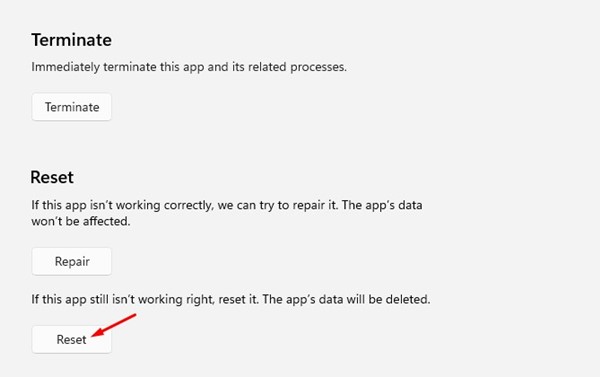
6. Click on Reset.
3. Reset the Windows Security App using CMD
Like PowerShell, you can use the Command Prompt utility to reset the Windows Security app.
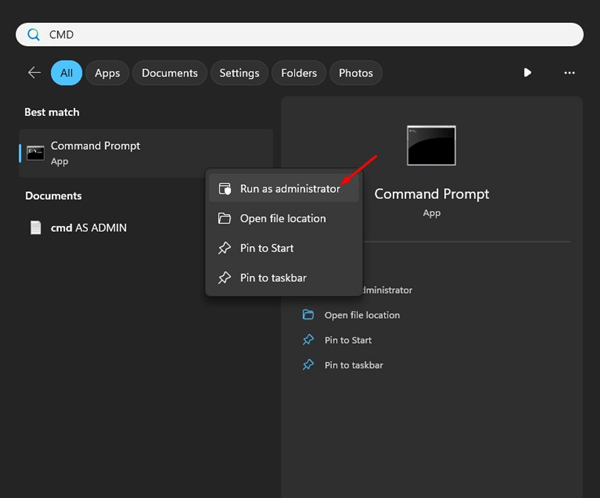
1. Type CMD on the Windows 11 Search. Right-click on the CMD and select Run as administrator.
2. Paste the command and press Enter.
PowerShell -ExecutionPolicy Unrestricted -Command "& {$manifest = (Get-AppxPackage *Microsoft.Windows.SecHealthUI*).InstallLocation + '\AppxManifest.xml' ; Add-AppxPackage -DisableDevelopmentMode -Register $manifest}"
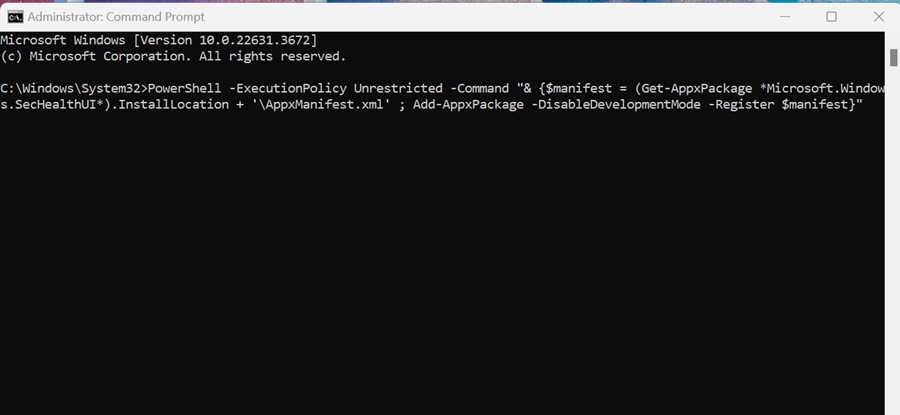
After executing the command, restart your PC and launch the Windows Security app. This will reset the Windows Security app.
Also read: How To Remotely Control Another PC Without Any Tool
These are the best ways to reset Windows Security in Windows 11. You should reset the security tool if you’re facing problems with it. If you need more help, let us know in the comments below.
The post How to Reset Windows Security App in Windows 11 appeared first on TechViral.
from TechViral


0 Comments