
Some Windows 11 users have recently run into a problem where right-clicking with the mouse doesn’t open the usual context menu. Instead, it opens the folder in a new tab. Normally, right-clicking should show options like Delete, Rename, Extract, Cut, Copy, and more, depending on the file type. If the context menu isn’t appearing for you, here are a few things you can try to fix the problem.
1. Make Changes to the Mouse Settings
You may have accidentally changed the primary mouse settings on your PC, causing the right click to behave differently. Here’s how to reset it.
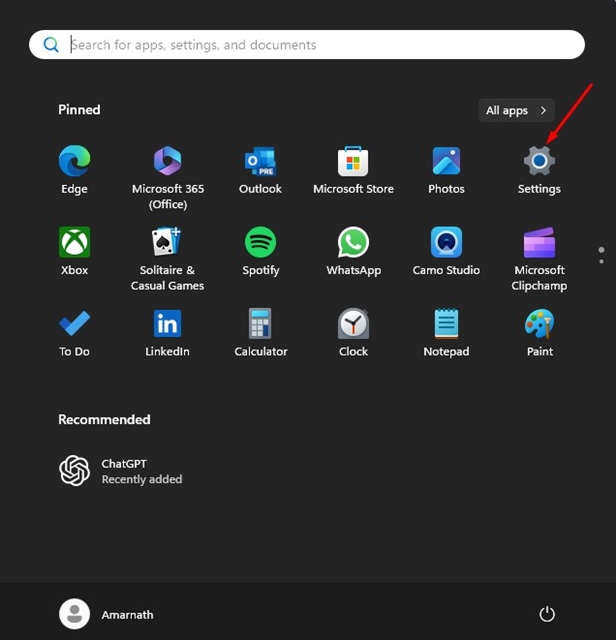
1. Launch the Settings app on your PC.
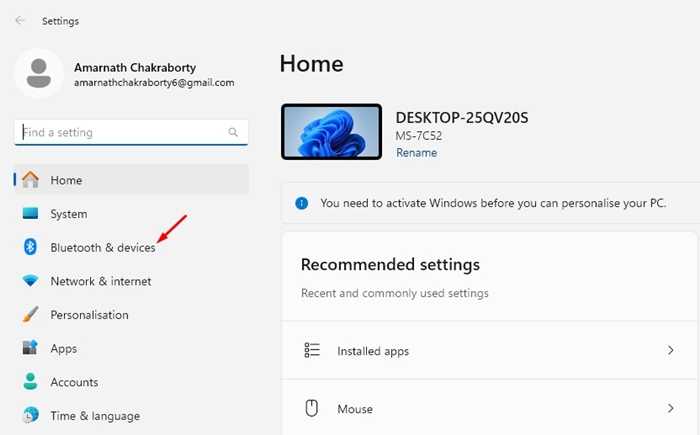
2. Switch to Bluetooth & devices.
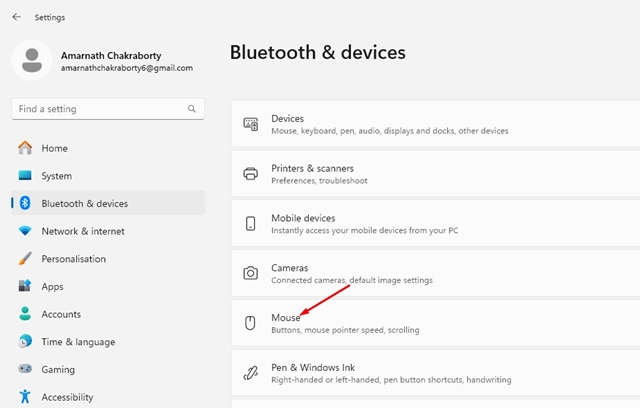
3. Click the Mouse.
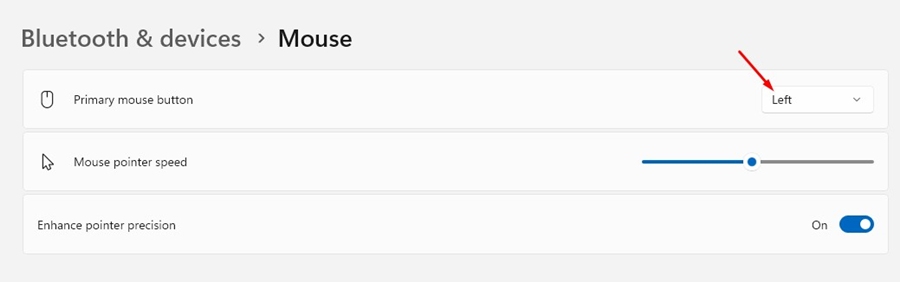
4. Select Left on the Primary Mouse button.
2. Make Changes to the Mouse Properties
You also need to make the same changes on the Mouse Properties to fix mouse right click opening the folder in a new tab problem. Here’s what you need to do.
1. Open Settings and navigate to the Bluetooth & Devices > Mouse.
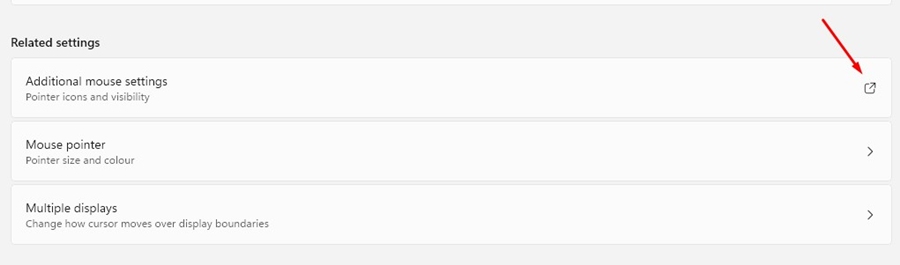
2. Scroll down to the Related settings and select Additional mouse settings.
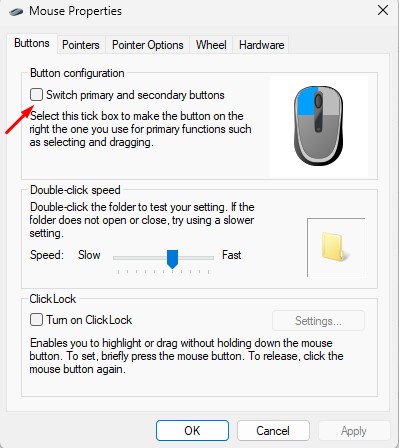
3. On the Button configuration, make sure the Switch Primary and Secondary buttons are unchecked.
3. Make Changes to the Folder Options
Now that you have made changes to the Mouse Properties, it’s time to make a few changes to the Folder Options as well. Here’s what you need to do.
1. Launch the File Explorer (This PC) on your Windows 11.
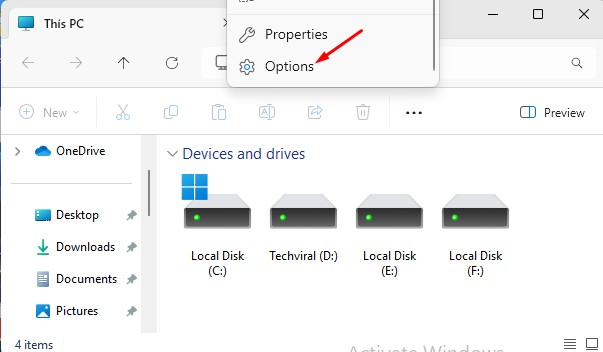
2. Click the three dots at the top and select Options.
3. Select Open Each Folder in the same window.
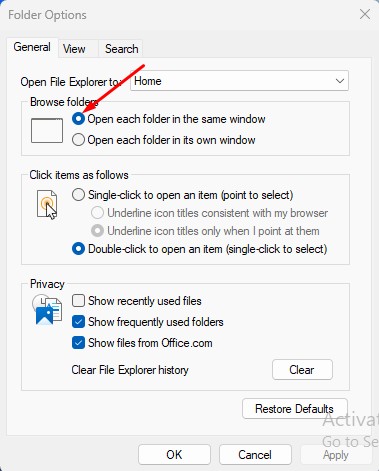
4. In the Click items as follows section, check Double click to open an item.
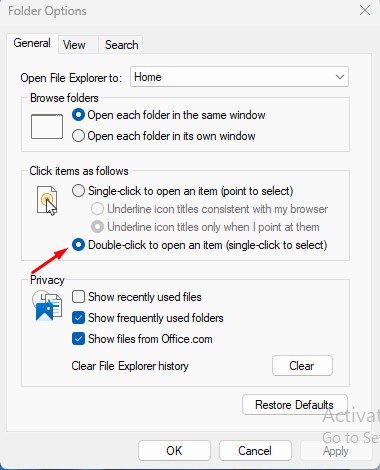
5. After making these changes, click Apply.
4. Restore Default Settings on the Folder Options
Another thing you can do to fix this type of problem is to restore the default settings on the Folder Options. Here’s what you need to do.
1. Launch the File Explorer (This PC) on your Windows 11.
2. Click the three dots at the top and select Options.
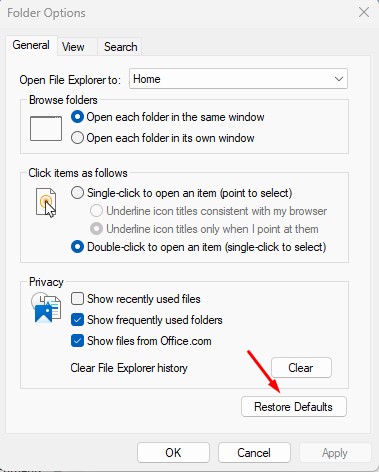
3. At the bottom right corner, click Restore Defaults.
5. Disable softwares that changes mouse settings
Certain softwares, especially the one that modifies the functionality of the mouse, can trigger such problems.
If you can’t recall installing such software, open the Control Panel > Programs and Features and then look at all softwares installed.
Once you find the software likely to trigger the problem, uninstall it.
These are a few simple ways to fix the mouse right click opening the folder in a new tab issue on Windows 11. Let us know if you need more help on this topic in the comments.
The post Mouse Right Click Opening the Folder in New Tab? 5 Fixes appeared first on TechViral.
from TechViral


0 Comments