
When the inactive scrolling feature is enabled, users need to hover their mouse pointer over any open window and use the mouse wheel to start scrolling. This frees users from the hassle of switching back and forth between open windows.
1. Enable or Disable Inactive Window Scrolling via Settings
We will use the Windows 11 Settings app to enable or disable the inactive window scrolling feature in this method.
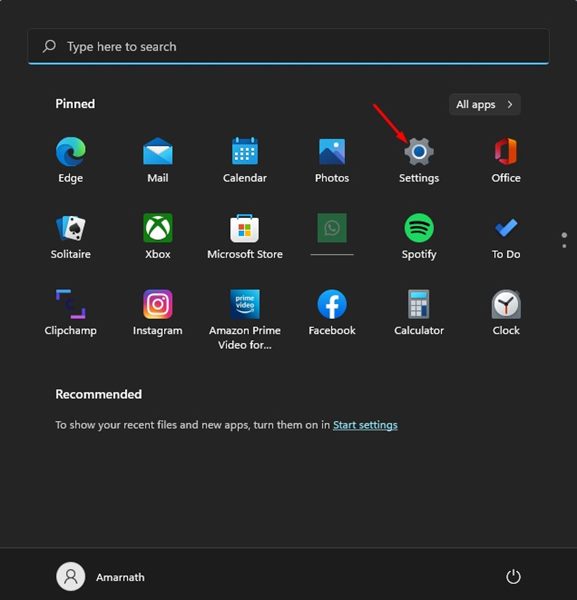
1. Click on the Windows 11 Start button and select Settings.
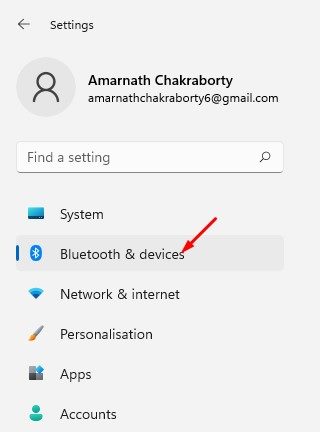
2. Click on the Bluetooth & devices option.
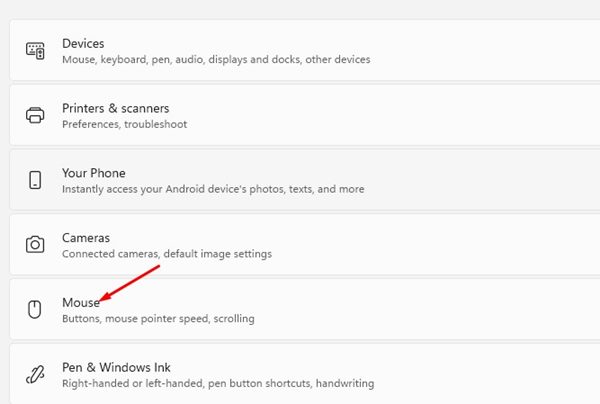
3. On the right pane, scroll down and select Mouse.
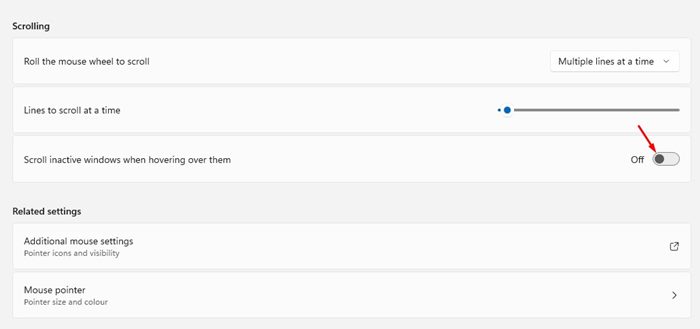
4. Next, scroll down and enable the toggle switch for Scroll inactive windows when hovering over them to allow the feature.
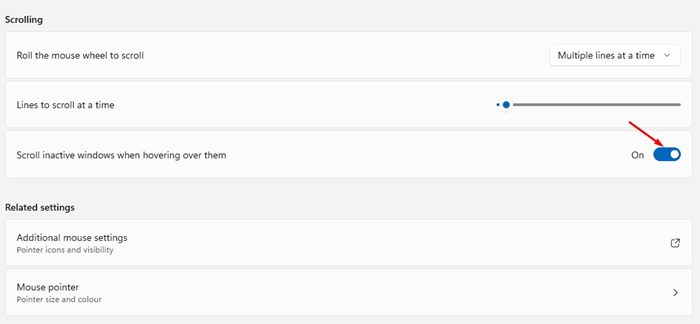
5. If you wish to disable inactive scrolling, toggle off the switch for Scroll inactive windows when hovering over them.
2. Enable or Disable Inactive Scrolling via Registry
If you cannot access the Settings app, you can utilize the Registry Editor to enable or disable the inactive scrolling feature. Here’s what you need to do.
1. Click on the Windows 11 search and type in Regedit. Next, open the Registry Editor from the list.

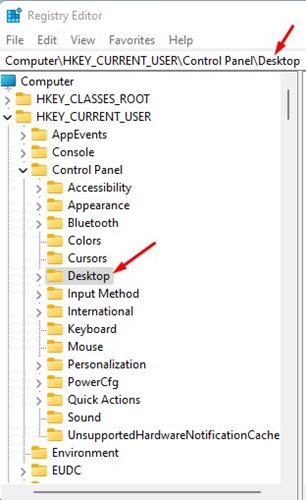
2. In the Registry Editor, navigate to:
Computer\HKEY_CURRENT_USER\Control Panel\Desktop
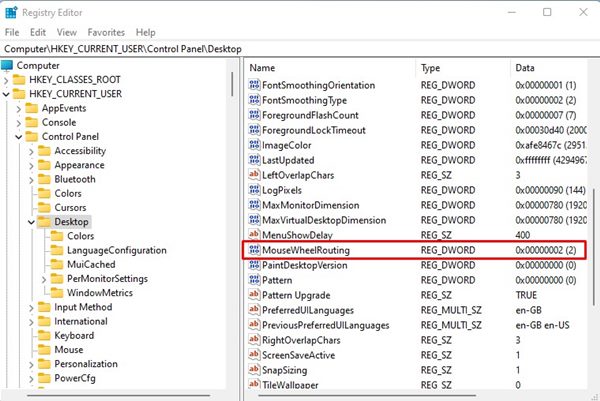
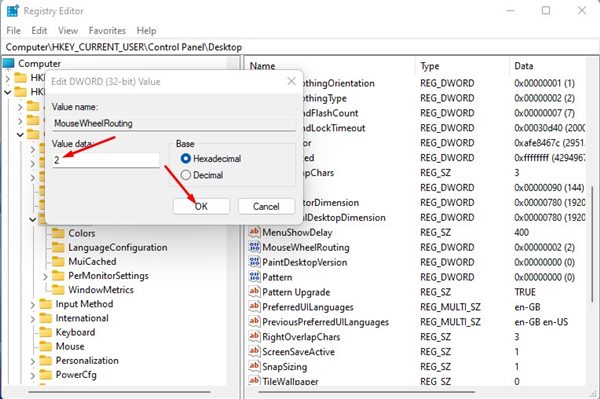
3. On the right, double-click the MouseWheelRouting DWORD key.
4. To disable the Inactive Scrolling, enter 0 in the Value data field and click on the Ok button.
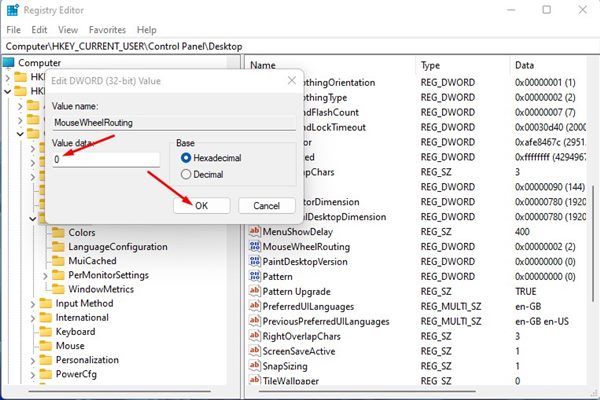
5. If you wish to enable the inactive scrolling again on your device, enter 2 in the Value data field in Step 4.
Inactive Scrolling in Windows 11 is an excellent feature as it saves you a few clicks. With this feature turned on, you don’t need to click on the inactive Window to start scrolling. So, these are the two best ways to enable or disable inactive scrolling in Windows 11.
The post How to Enable or Disable Inactive Window Scrolling in Windows 11 appeared first on TechViral.
from TechViral


0 Comments